Get the source code
This page describes how to get the source code as a simple download or git clone. The information on the forking workflow with git has been moved to the Development workflows-section.
Clone the source code repository with Git
First you need to get the clone URL:
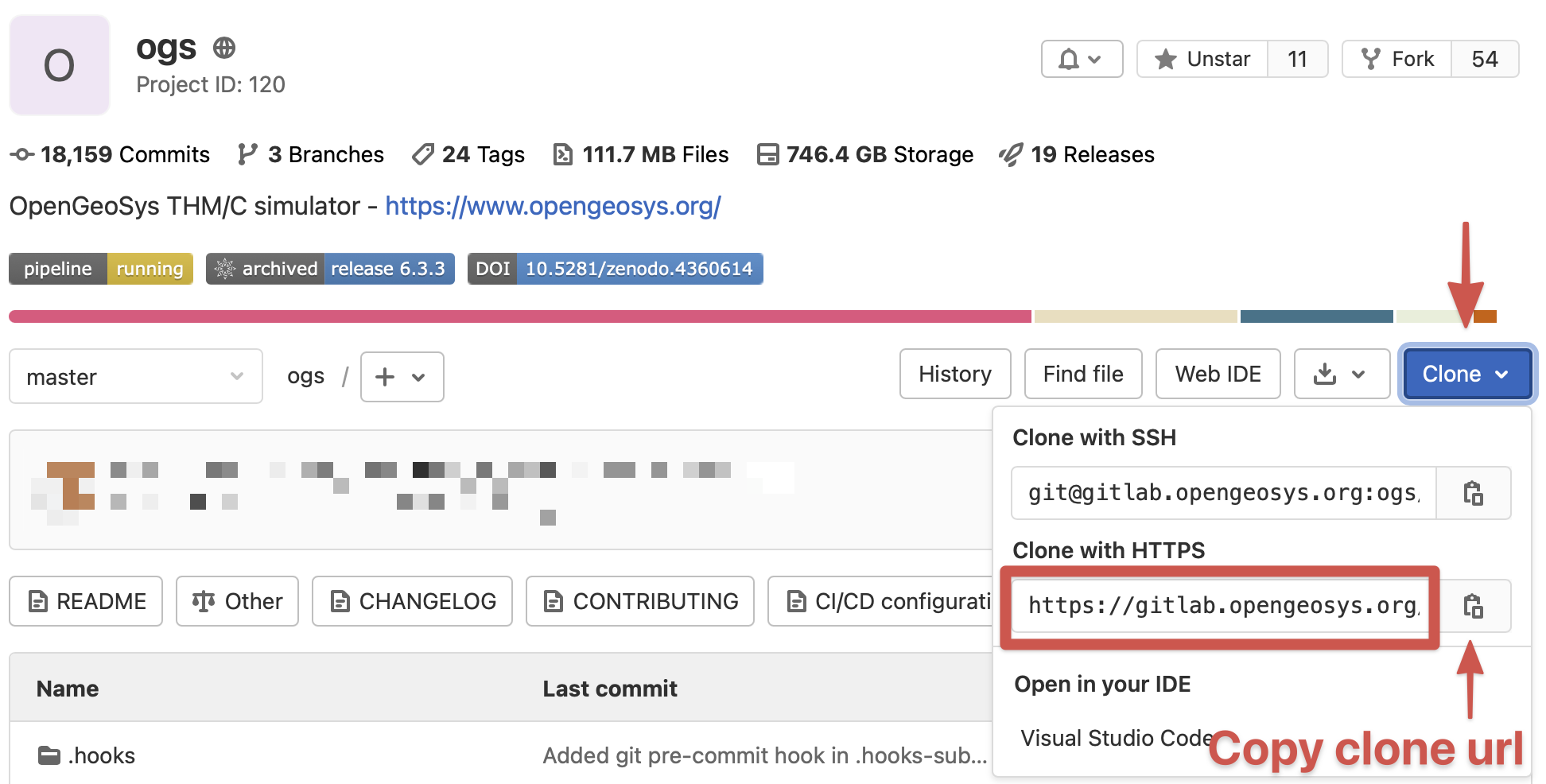
Then clone the repository with git:
git clone --filter=blob:limit=100k https://gitlab.opengeosys.org/ogs/ogs.gitThe --filter=blob:limit=100k-parameter instructs git to only fetch files which are smaller than 100 Kilobyte. Larger files (e.g. benchmark files, images, PDFs) are fetched on-demand only. This happens automatically and is a replacement for the previous Git LFS tracked files. Requires at least git 2.22!
Enable git commit hooks with pre-commit
Git hooks help to check for several issues before doing commits or pushes and it is highly recommended to enable these checks.
Install pre-commit (a git hook manager):
pip3 install --user pre-commitThis installed pre-commit to e.g. (depending on your Python version) C:\Users\[username]\AppData\Roaming\Python\Python313\Scripts. Make sure to have this directory in your PATH!
sudo apt install pre-commitbrew install pre-commitEnable the hooks in the source code with:
cd ogs
pre-commit installOn first commit the pre-commit environment is setup which may take some time:
$ git commit
[INFO] Initializing environment for https://github.com/pre-commit/pre-commit-hooks.
[INFO] Initializing environment for https://github.com/psf/black.
[INFO] Initializing environment for https://github.com/nbQA-dev/nbQA.
...You may also want to install clang-format (optional):
Install clang (which contains clang-format) with the official installer.
sudo apt install clang-formatbrew install clang-formatSetup your repository fork
This step is optional for the moment but required once you want to contribute back to OpenGeoSys. To setup your repository fork on GitLab and your local git repository follow-along on Set Up your fork.
This article was written by Lars Bilke. If you are missing something or you find an error please let us know.
Generated with Hugo 0.150.1
in CI job 743172
|
Last revision: February 5, 2026
Commit: [py,cmake] Allow Python 3.14. 4d949dd99c
| Edit this page on