MoveGeometry
Description
This tool is used to translate a geometry along a displacement vector. The displacement vector is defined via input parameters -x,-y,-z.
Usage
   MoveGeometry  -i <input file> -o <output file>
                [-x <x-displacement>] [-y <y-displacement>]
                [-z <z-displacement>] [--] [--version] [-h]


Where:

   -i <input file>,  --input <input file>
     (required)  input geometry file (*.gml)

   -o <output file>,  --output <output file>
     (required)  output geometry file (*.gml)

   -x <x-displacement>,  --x <x-displacement>
     displacement in x direction

   -y <y-displacement>,  --y <y-displacement>
     displacement in y direction

   -z <z-displacement>,  --z <z-displacement>
     displacement in z direction

   --,  --ignore_rest
     Ignores the rest of the labeled arguments following this flag.

   --version
     Displays version information and exits.

    -h,  --help
Displays usage information and exits.Example
In this example we move a line by the displacement vector v = (2,3,0).
MoveGeometry -i line.gml -o moved_line.gml -x 2 -y 3 -z 0
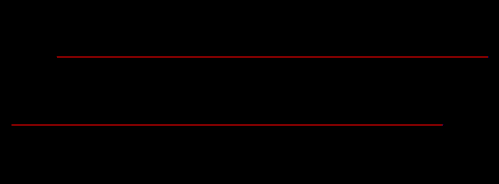
Fig.1 Visualization of a line and the moved line viewed along the z-axis.
This article was written by Julian Heinze. If you are missing something or you find an error please let us know.
Generated with Hugo 0.150.1
in CI job 743172
|
Last revision: April 21, 2026
Commit: chores(web): fix white spaces; apply mdlint fixes a9e0f7ffa8
| Edit this page on