Reorder Mesh
Building the Tool ReorderMesh
The tool is build when the OGS_BUILD_UTILS CMake switch is set ON. The build
executable ReorderMesh is placed in the bin directory. The tool is a command line tool.
Running ReorderMesh tool will print the required arguments and a short usage message; for detailed usage add the --help argument.
> ReorderMesh --help ⏎To reorder a bulk mesh two arguments are required:
- file name for the input mesh including
bulk_node_idsandbulk_element_idsinformation, - file name for the reordered mesh.
Why is the tool necessary?
In contrast to a serial simulation
for a parallel simulation
a domain decomposition is required as a preprocessing step. As you can see in the following pictures the domain decomposition (into 2 sub-domains) changes the sequence of nodes and elements. On the left the initial node and element orderings are depicted, on the right the ordering after partitioning is shown.
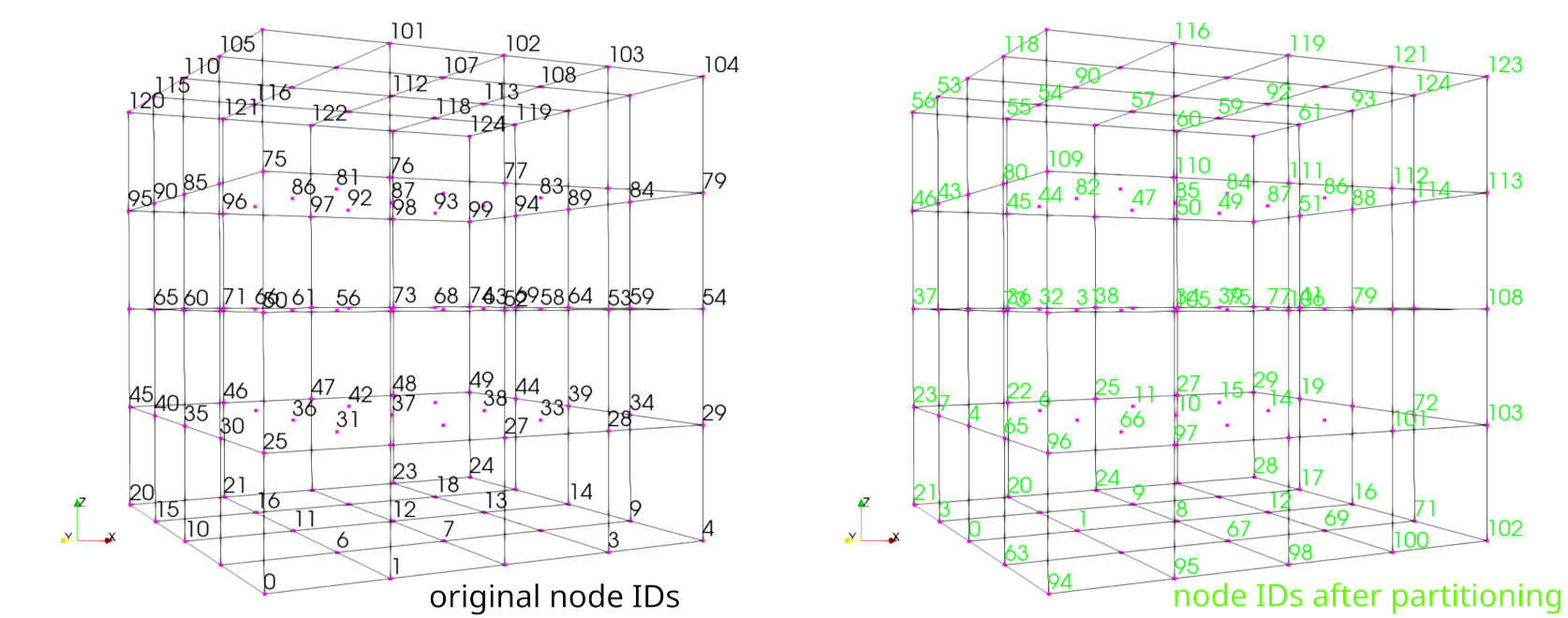
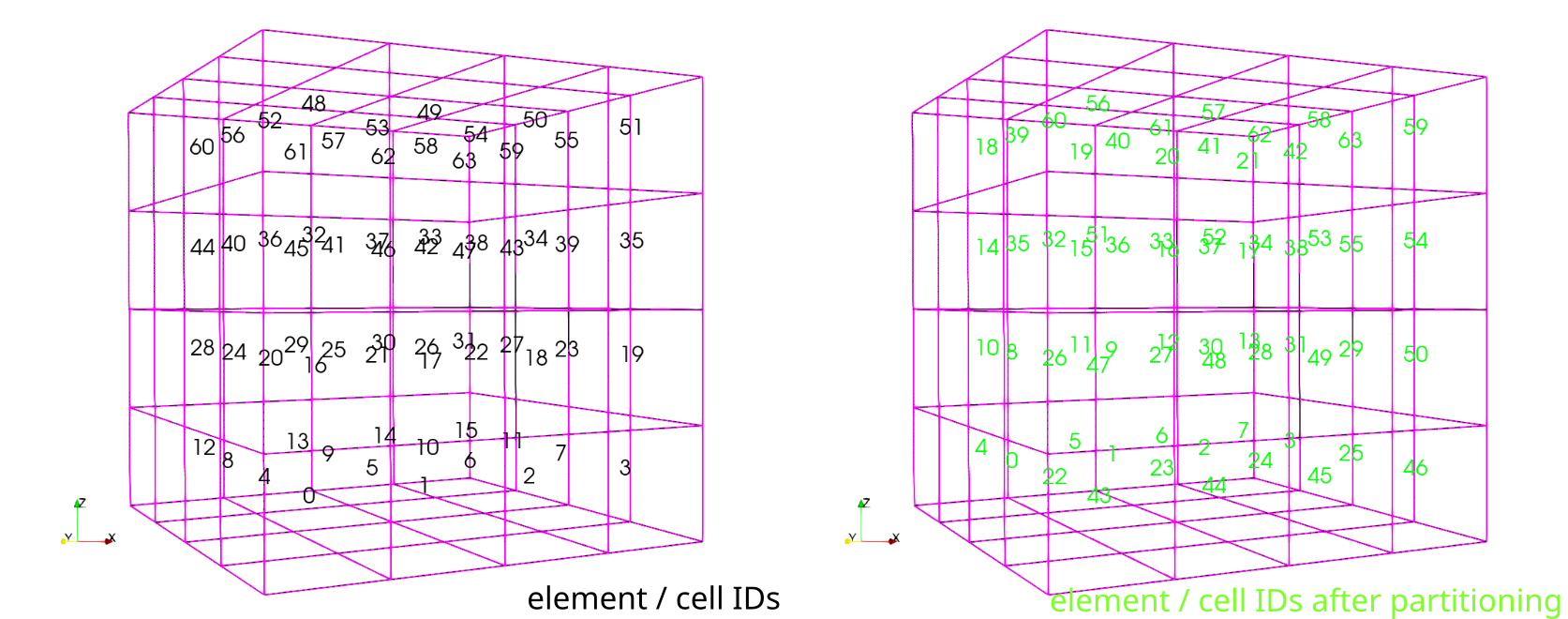
Simple element-wise or node-wise comparisons of simulation results are not
possible. The tool ReorderMesh can be applied to reorder the nodes and
elements to the initial ordering.
Typically, the workflow is as follows:
A similar workflow is implemented using snakemake for testing the ReorderMesh
tool.
This article was written by Thomas Fischer. If you are missing something or you find an error please reach out
to us on our forum.
Generated with Hugo 0.164.0
in CI job 825193
|
Last revision: April 20, 2026
Commit: refactor(MeshLib): remove PropertyVector::push_back 870422dde
| Edit this page on