AddLayer
Introduction
The tool AddLayer adds one layer of elements with a specified thickness
thickness on either on top or bottom of an existing mesh input-mesh and
returns the newly generated mesh output-mesh that has an new layer.
One might want to take care that the material groups are reduced, e.g. material
groups should not be [0,2,5], but [0,1,2]. The new layer will have the material
group ID of the highest material group +1 if not otherwise specified. With
the switch --copy-material-ids the material group IDs of the extruded layer will be
kept. With the switch --set-material-id the material group id of the new layer can be set
to a different value than the default value of ‘highest material group number plus one’.
The tool requires the OGS-6 node ordering
in the elements. A different node ordering may lead to unexpected results. In case one might try to change the ordering using the tool NodeReordering.
Usage
AddLayer -i <input-mesh> -o <output-mesh> [-t <thickness>]Simple example
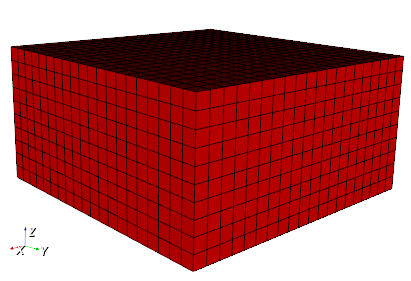
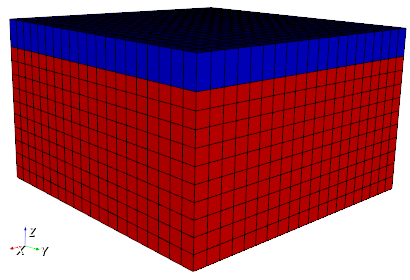
Usage for example:
AddLayer -i quad.vtu -o quad_with_new_top_layer.vtu -t 1Application
The tool was used to add a “soil” layer to the hydro-geological model of the Unstrut catchment within the INFLUINS project:
T. Fischer et al. (2015): GO2OGS 1.0: a versatile workflow to integrate complex geological information with fault data into numerical simulation models. Geosci. Model Dev., vol. 8, p. 3681–3694, DOI:10.5194/gmd-8-3681-2015, Publisher link@article{Fischer:2015,
author = {Fischer, T. and Naumov, D. and Sattler, S. and Kolditz, O. and and Walther, M.},
category = {Workflows},
doi = {10.5194/gmd-8-3681-2015},
journal = {Geosci. Model Dev.},
pages = {3681–3694},
title = {GO2OGS 1.0: a versatile workflow to integrate complex geological information with fault data into numerical simulation models},
url = {https://www.geosci-model-dev.net/8/3681/2015/gmd-8-3681-2015.pdf},
volume = {8},
year = {2015}
}
The tool is used in the OGS-GIScape workflow.
This article was written by Thomas Fischer. If you are missing something or you find an error please reach out
to us on our forum.
Generated with Hugo 0.164.0
in CI job 825193
|
Last revision: April 20, 2026
Commit: refactor(MeshLib): remove PropertyVector::push_back 870422dde
| Edit this page on