Debugging OpenGeoSys with VS Code
Visual Studio Code is a powerful text editor that can be extended into a full-featured IDE using plugins. This guide walks you through setting up debugging for OpenGeoSys (OGS) on macOS and Linux.
1. Prerequisites
Install system tools
On macOS:
xcode-select --installOn Linux:
sudo apt update
sudo apt install build-essential cmake gdb lldb ninja-buildClone and build OGS in debug mode
git clone https://gitlab.opengeosys.org/ogs/ogs.git
cd ogs
cmake --preset debug
ninja -C build/debug ogsThis creates a debug build in build/debug/.
2. VS Code Setup
Install VS Code
Download from https://code.visualstudio.com
Install required extensions
In the Extensions view (Ctrl+Shift+X on Linux, Cmd+Shift+X on macOS), install:
- C/C++ Extension Pack
- CMake Tools
- CodeLLDB (required on macOS, optional on Linux if using LLDB)
3. Project configuration
Open the project
Open the source code ogs/ folder in VS Code.
Optional: Add a build task
To build OGS from within VS Code:
mkdir -p .vscode
cat > .vscode/tasks.json <<EOF
{
  "version": "2.0.0",
  "tasks": [
    {
      "label": "Build OGS (CMake debug)",
      "type": "shell",
      "command": "cmake --preset debug && ninja -C ../build/debug ogs",
      "group": {
        "kind": "build",
        "isDefault": true
      }
    }
  ]
}
EOFTo run the build task, press Shift + Command + B on macOS or Ctrl+Shift+B on Linux.
Configure debugging
Create .vscode/launch.json:
[ "${PWD##*/}" = ".vscode" ] || cd .vscode
cat > launch.json <<EOF
{
   "version": "0.2.0",
  "configurations": [
    {
      "name": "Debug with LLDB",
      "type": "lldb",
      "request": "launch",
      "program": "${workspaceFolder}/../build/debug/bin/ogs",
      "args": [
        "${workspaceFolder}/Tests/Data/LIE/Mechanics/coulomb_load_path.prj"
      ],
      "cwd": "${workspaceFolder}/../build/debug",
      "stopOnEntry": false,
      "externalConsole": false
    }
  ]
}
EOF4. Start a debug session
- Open the file
Applications/CLI/ogs.cpp. - Set a breakpoint at the first line inside the
main()function.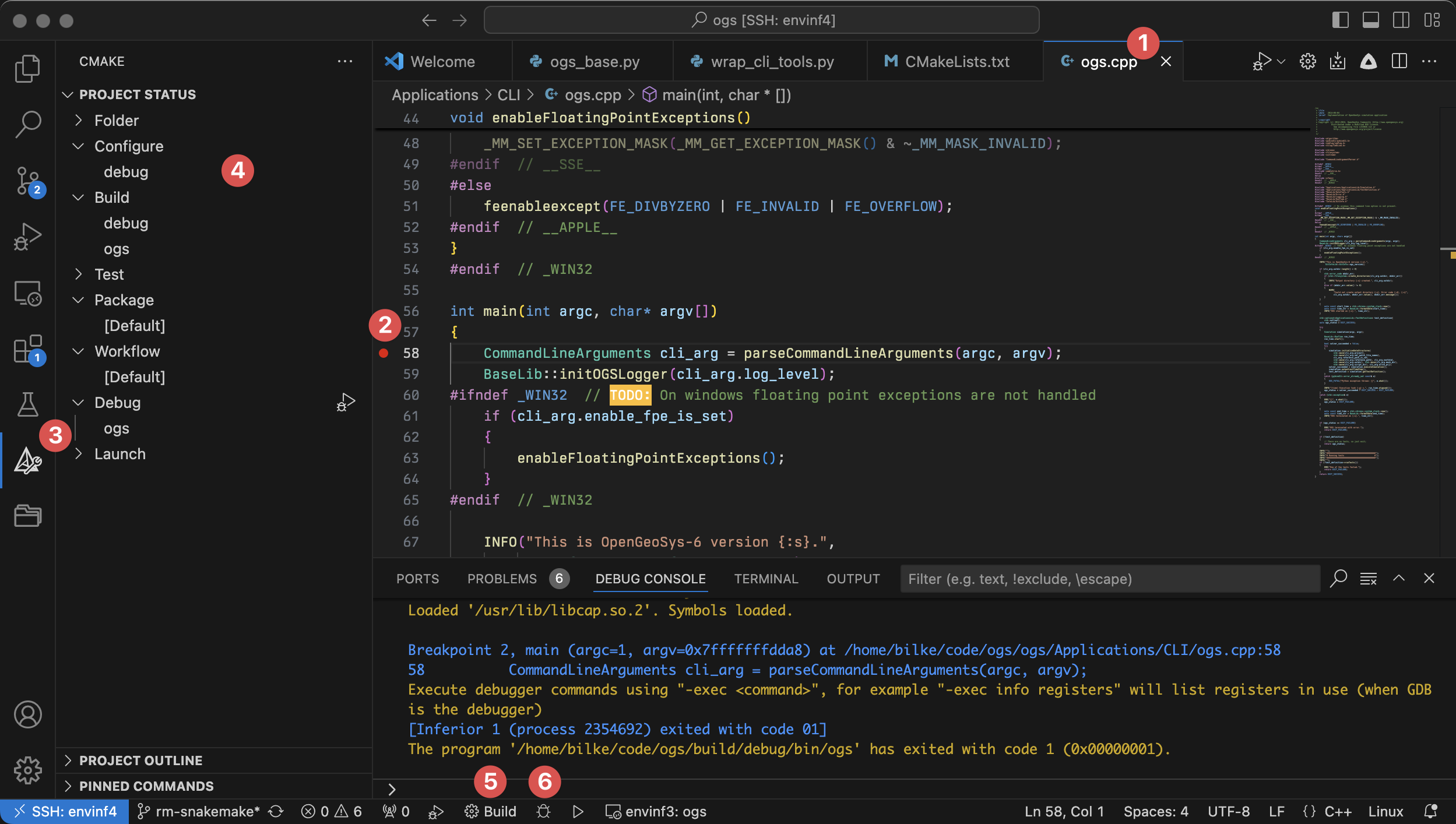
- Start debugging by clicking the green “Run and Debug” icon, or press
F5(Linux) /Fn + F5(macOS). - Choose the debug configuration by its name set in
launch.json(e.g.,Debug with LLDB).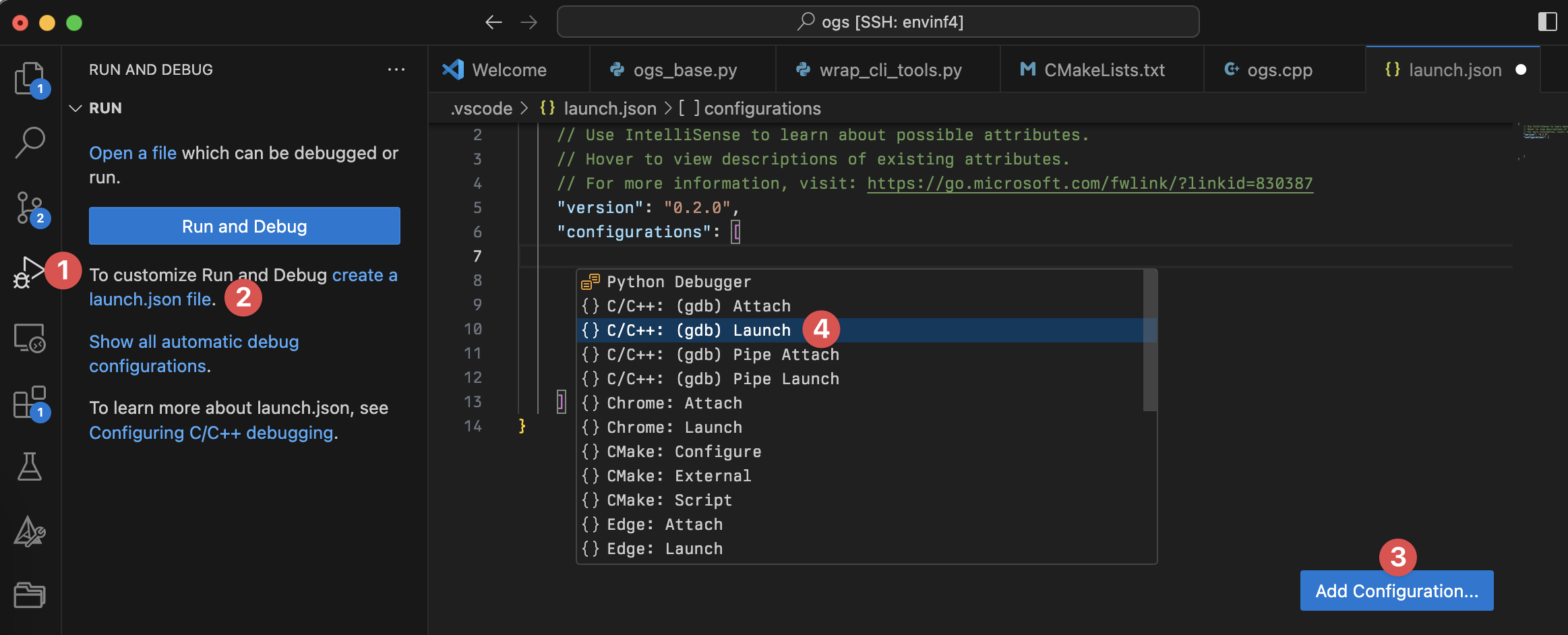
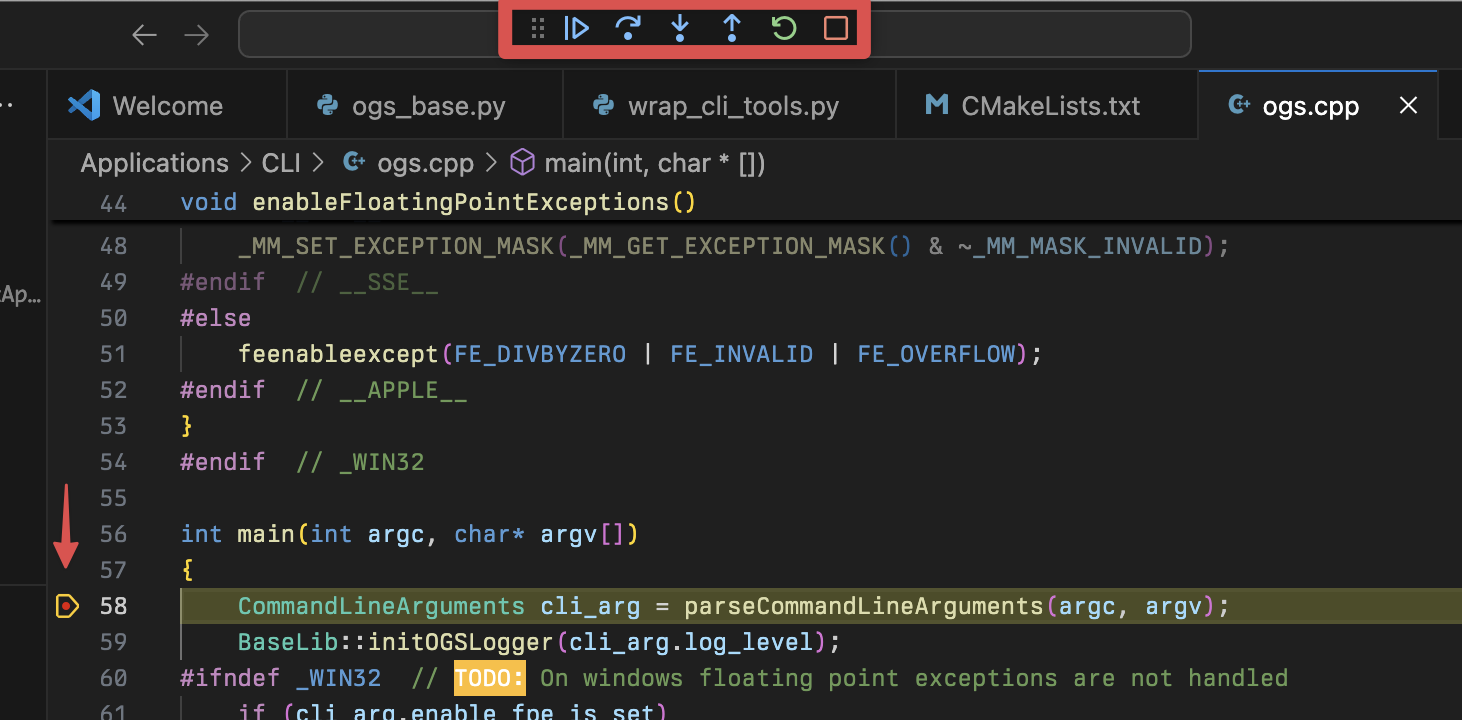
- The debugger will stop at your breakpoint. You can now step through code, inspect variables, and use the debug toolbar to control execution.
This article was written by Mostafa Mollaali, Lars Bilke. If you are missing something or you find an error please reach out
to us on our forum.
Generated with Hugo 0.164.0
in CI job 825193
|
Last revision: April 20, 2026
Commit: refactor(MeshLib): remove PropertyVector::push_back 870422dde
| Edit this page on