MoveGeometry
Description
This tool is used to translate a geometry along a displacement vector. The displacement vector is defined via input parameters -x,-y,-z.
Usage
   MoveGeometry  -i <input file> -o <output file>
                [-x <x-displacement>] [-y <y-displacement>]
                [-z <z-displacement>] [--] [--version] [-h]


Where:

   -i <input file>,  --input <input file>
     (required)  input geometry file (*.gml)

   -o <output file>,  --output <output file>
     (required)  output geometry file (*.gml)

   -x <x-displacement>,  --x <x-displacement>
     displacement in x direction

   -y <y-displacement>,  --y <y-displacement>
     displacement in y direction

   -z <z-displacement>,  --z <z-displacement>
     displacement in z direction

   --,  --ignore_rest
     Ignores the rest of the labeled arguments following this flag.

   --version
     Displays version information and exits.

    -h,  --help
Displays usage information and exits.Example
In this example we move a line by the displacement vector v = (2,3,0).
MoveGeometry -i line.gml -o moved_line.gml -x 2 -y 3 -z 0
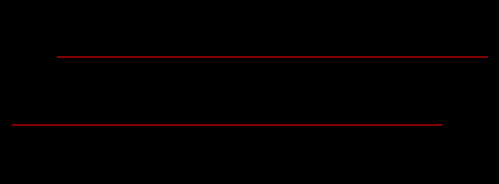
Fig.1 Visualization of a line and the moved line viewed along the z-axis.
This article was written by Julian Heinze. If you are missing something or you find an error please reach out
to us on our forum.
Generated with Hugo 0.164.0
in CI job 825193
|
Last revision: April 20, 2026
Commit: refactor(MeshLib): remove PropertyVector::push_back 870422dde
| Edit this page on