Set Up GitLab
Introduction
GitLab
is a web-based development and collaboration tool similar to GitHub
. We self-host GitLab at https://gitlab.opengeosys.org
and migrated our development workflows from GitHub in June 2020. Development takes place in the ogs-group
and the authoritative repository is at ogs/ogs
.
Setup an account
- Creating a GitLab account can be done by simply using your existing GitHub account: click the GitHub logo on the GitLab sign-in page
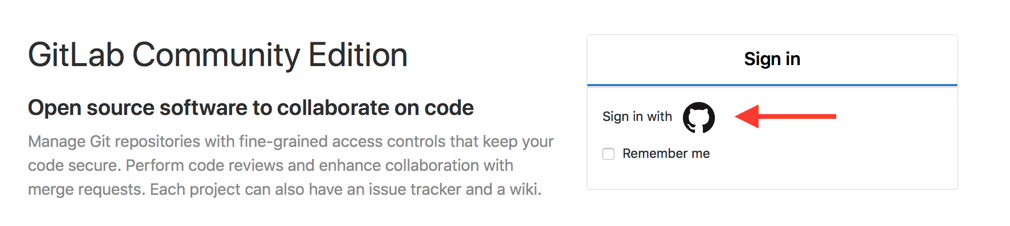
- You will be redirected to GitHub (please login there) and asked for authorization.
- Your new user account will be blocked at first, please let us know we will unblock it
Setup a password for cloning over HTTPS
To clone a repository via https://-protocol you need to set up an account password
and use this during git clone https://....
Upload a SSH key for cloning over SSH
To clone a repository via SSH-protocol (git clone git@gitlab...) you need to upload your SSH public key
.
This article was written by Lars Bilke. If you are missing something or you find an error please reach out
to us on our forum.
Generated with Hugo 0.164.0
in CI job 825193
|
Last revision: April 20, 2026
Commit: refactor(MeshLib): remove PropertyVector::push_back 870422dde
| Edit this page on